

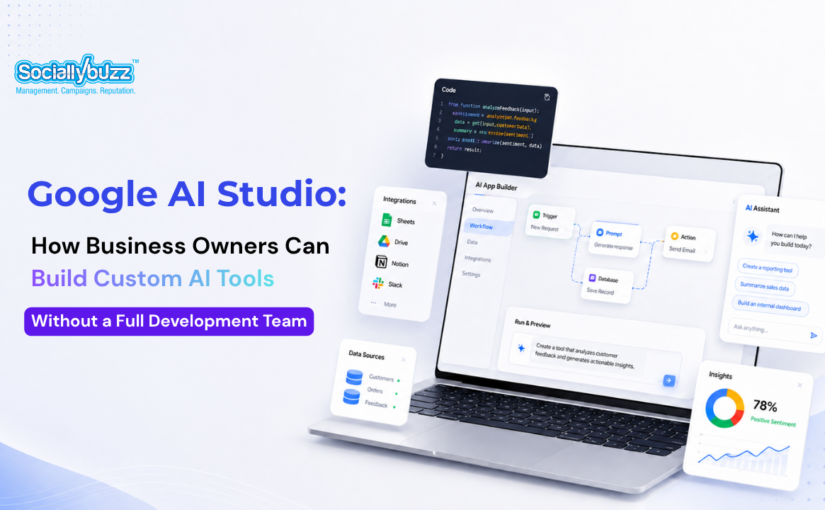
Many business owners know they need better systems, but building those systems can feel expensive, technical, and slow.
A marketing team may need a faster way to qualify leads. A sales team may need a simple tool that turns discovery call notes into follow-up recommendations. A service business may want a customer support assistant that answers common questions. An agency may want an internal campaign planner that helps organize offers, audiences, channels, and content ideas in one place.
The problem is that most small businesses do not have a full development team ready to build every idea.
This is where Google AI Studio becomes interesting.
Google AI Studio is not just another AI chatbot. It is a developer and builder environment connected to Google’s Gemini models. It allows users to test prompts, explore Gemini capabilities, and now build and deploy AI-powered apps using natural language instructions.
For business owners and marketers, this means one important thing: custom tools are becoming easier to prototype.
You still need strategy, quality control, and technical judgment, especially for tools that handle customer data or connect to business systems. But the early stage of building an idea no longer has to start with a large development budget.
Google AI Studio gives businesses a way to move from “we should build this someday” to “let’s test a working version.”
LISTEN TO THE LIVE PODCAST HERE
Google AI Studio is a platform from Google that allows users to work with Gemini models, test AI prompts, experiment with model capabilities, and build AI-powered applications.
Gemini is Google’s family of AI models. These models can support a range of tasks, including text generation, reasoning, image understanding, structured outputs, coding, app prototyping, and multimodal workflows.
Google AI Studio gives users a more practical way to interact with these models. Instead of only asking questions, users can create prompts, test responses, generate code, and build tools that use Gemini behind the scenes.
For marketers and business owners, this matters because many business problems are not solved by content alone. They are solved by better workflows.
A business may need a tool that helps score leads.
A marketing agency may need a campaign planner.
A coach may need a client onboarding assistant.
A real estate business may need a property inquiry qualifier.
An online course creator may need a quiz that recommends the right program.
Google AI Studio can help prototype these kinds of tools faster than traditional development workflows.
Google AI Studio is closely connected to the Gemini API and Gemini models.
The Gemini models are the intelligence layer. Google AI Studio is one of the places where builders can access, test, and use that intelligence.
This means a business can create an app or tool that uses Gemini to understand user input, generate responses, structure information, summarize data, answer questions, or guide users through a process.
For example, a lead qualifier built in Google AI Studio could use Gemini to read a prospect’s answers and categorize them based on fit, urgency, budget, and service need.
A content idea generator could use Gemini to turn a business description, audience profile, and offer into blog topics, social media ideas, email angles, and ad hooks.
A customer support assistant could use Gemini to respond to frequently asked questions in a more conversational format.
The key value is not just that Gemini can generate text. The value is that Gemini can be placed inside a tool, workflow, or app that helps the business do something repeatedly.
Vibe coding is a casual term for building software through natural language prompts instead of writing every line of code manually.
In simple terms, you describe what you want the app to do, and the AI helps generate the structure, interface, and logic.
Instead of starting with code, a user might start with a prompt like:
Build a simple lead qualifier for a marketing agency. Ask visitors what type of business they run, what service they need, their monthly marketing budget, and how soon they want to start. Then give them a lead score and recommend whether they should book a call.
From there, Google AI Studio can generate an app concept, create files, show a preview, and allow the user to keep refining the tool with more prompts.
For business owners, vibe coding is helpful because it lowers the barrier to testing ideas.
You do not need to know how to build the full product from scratch just to see whether the concept makes sense. You can describe the workflow, test the output, and decide whether the tool is worth improving.
However, vibe coding does not mean every app is automatically ready for serious business use. AI-generated apps still need review, testing, privacy checks, security considerations, and a clear business strategy.
The best way to think about vibe coding is this:
It is excellent for prototypes, internal tools, experiments, and early versions of simple applications.
It is not a replacement for experienced developers when the project requires complex architecture, high security, advanced integrations, or long-term maintenance.
Google AI Studio can help business owners turn everyday operational problems into simple tools.
Many small businesses already know where the bottlenecks are. Leads are not being qualified properly. Content planning takes too long. Customer inquiries are repetitive. Campaign ideas are scattered. Sales notes are not organized. Internal processes live across too many spreadsheets.
These are exactly the kinds of problems that can be explored through AI-powered prototypes.
A business owner can use Google AI Studio to create a working version of a tool before investing in a full custom build.
This is valuable because many businesses waste money building the wrong thing.
With AI prototyping, the business can first test:
Is this tool useful?
Does the workflow make sense?
Would the team actually use it?
Does it save time?
Does it improve lead quality?
Does it support sales or marketing?
What needs to be changed before investing more?
For agencies, this can also become part of the discovery and strategy process. Instead of only recommending campaigns, an agency can help clients identify where custom AI tools could improve marketing operations, sales workflows, or customer experience.
A lead qualifier is one of the most useful tools a small business can create.
Many businesses receive inquiries, but not all inquiries are equal. Some prospects are ready to buy. Some are still researching. Some are not a good fit. Some do not have the budget. Some need a different service.
A lead qualifier built with Google AI Studio could ask questions such as:
What type of business do you run?
What service are you interested in?
What problem are you trying to solve?
What is your estimated monthly budget?
How soon do you want to start?
Are you the decision maker?
The tool could then use Gemini to summarize the lead, assign a fit score, identify urgency, and recommend the next step.
For a marketing agency, this could help separate serious prospects from general inquiries. For a service provider, it could help reduce time spent on calls that are not a good fit.
Many business owners struggle with content because they do not know what to post or how to connect content to business goals.
A content idea generator could help solve this.
The tool could ask for the business type, target audience, main offer, customer pain points, preferred platforms, and campaign goal. Then it could generate content ideas for blogs, emails, social media posts, LinkedIn posts, short-form videos, or ad angles.
For example, a dental clinic could use the tool to generate local SEO blog topics. A real estate business could use it to create property education content. A coach could use it to plan a nurture campaign. A marketing agency could use it to create first-draft content calendars for clients.
This does not remove the need for strategy or editing. But it can speed up the planning process and reduce the blank-page problem.
A customer support assistant can help answer common questions before a customer contacts the team.
Many businesses receive the same questions every week:
What are your prices?
How does the process work?
Where are you located?
What is included?
How long does it take?
Do you offer payment plans?
What should I prepare before booking?
A simple AI support assistant could help organize these answers into a more conversational experience.
For a small business, this can reduce repetitive admin work. For a marketing agency, this can improve website experience and help visitors get answers faster.
The important point is that customer support assistants should be built carefully. They should use approved business information, avoid making promises, and guide users to contact a human when needed.
A campaign planner is another practical use case for Google AI Studio.
A small business or agency could create a tool that helps plan campaigns based on a goal, audience, offer, timeline, and marketing channels.
The tool could generate:
Campaign theme
Audience segments
Core message
Content pillars
Email ideas
Landing page sections
Ad angles
Call-to-action options
Follow-up sequence ideas
For a marketing agency, this kind of internal tool can help standardize the planning process. It gives the team a structured starting point instead of building every campaign from a blank document.
For business owners, it can help them understand what goes into a proper campaign before they spend money on ads or content production.
Google AI Studio is not limited to simple one-page prototypes.
Google’s documentation says AI Studio supports more advanced builds through full-stack runtimes. This means users can create web apps that include both a frontend and a server-side component.
This matters because more serious business tools often need more than a basic interface.
A simple prototype might only collect inputs and generate a response. But a more advanced tool may need to securely call APIs, connect to databases, manage user authentication, store information, or use third-party services.
Google AI Studio supports features such as:
Server-side logic
Secure secrets management
API key protection
Node.js runtime
npm package usage
External API connections
Database integrations
Firebase support
Google Workspace integrations
Deployment to Cloud Run
For business owners, these features are important because they move AI Studio beyond simple idea generation.
They make it possible to test business tools that are closer to real workflows.
For example, a campaign planner could connect to Google Sheets. A lead qualifier could send qualified leads to a CRM. A support assistant could pull from approved documentation. A reporting tool could connect to a database. An internal marketing assistant could organize information from Google Drive.
These are the kinds of features that make AI tools more useful in day-to-day business operations.
Marketing agencies are no longer just competing on content creation, ad management, or website design.
Business owners increasingly want better systems.
They want to know why leads are not converting. They want faster follow-up. They want better reporting. They want content that connects to the sales process. They want tools that reduce manual work. They want smarter ways to capture, qualify, and nurture prospects.
Google AI Studio can help agencies create prototypes that support those goals.
An agency could use it to build early versions of:
Lead scoring tools
Content planning tools
SEO brief generators
Client onboarding tools
Campaign planning tools
Sales follow-up assistants
Website lead capture tools
Customer FAQ assistants
Internal reporting assistants
This allows agencies to bring more value to clients without immediately starting with expensive custom software development.
It also helps agencies show ideas more clearly.
Instead of saying, “We recommend building a better lead qualification process,” an agency can show a working prototype of what that process could look like.
That makes strategy easier to understand and easier to approve.
Small businesses often have the same problems as larger companies, but fewer resources.
They need better systems, but they may not have developers.
They need automation, but they may not know where to start.
They need better marketing workflows, but they may not have a technical team.
They need custom tools, but they may not be ready to invest in full software development.
Google AI Studio gives small businesses a practical starting point.
It allows them to test ideas, build prototypes, and understand what kind of tool would actually help before committing to a larger project.
This can reduce risk.
Instead of hiring a development team immediately, a business can first work with a marketing agency or AI strategist to map the workflow, create a prototype, test it internally, and decide whether it is worth developing further.
That is a smarter path for many businesses.
Google AI Studio is powerful, but business owners should be realistic.
Not every idea should be launched immediately after it is generated.
If a tool handles sensitive customer data, payments, legal information, health information, financial records, or confidential business information, it needs proper technical review.
If the tool will be used by customers, it also needs testing for accuracy, usability, security, and brand alignment.
AI can generate useful apps quickly, but speed should not replace responsibility.
Business owners should treat AI Studio as a way to prototype and validate ideas, not as a reason to skip planning, quality assurance, or data protection.
The best approach is to use Google AI Studio for rapid exploration, then bring in the right people to refine, secure, and scale the tool if it becomes important to the business.
A marketing agency can help business owners use Google AI Studio in a more strategic way.
Many business owners can describe what they want, but they may not know how to turn that idea into a useful workflow. They may also not know which tools are worth building and which ones will only add complexity.
A good agency can help identify where AI tools fit into the customer journey.
For example:
Where are leads dropping off?
What questions do prospects ask before booking?
Which tasks slow down the sales process?
What content does the team create repeatedly?
What information does the business need to collect before a call?
What manual process could be turned into a simple tool?
From there, the agency can help create the prompt strategy, prototype the tool, test the experience, and connect it to the larger marketing system.
This is where AI becomes more than a trend.
It becomes a practical part of lead generation, sales enablement, customer education, and marketing operations.
Google AI Studio gives business owners and marketers a faster way to explore custom AI tools.
By connecting to Gemini models and supporting natural language app building, AI Studio makes it easier to prototype apps, internal systems, lead tools, content generators, support assistants, and campaign planners.
For small businesses, this means custom tools no longer have to start with a large development project. For agencies, it creates a new way to help clients improve marketing systems, qualify leads, and reduce repetitive work.
The most important thing is to use the tool strategically.
Google AI Studio can help businesses move faster, but the best results still come from clear goals, strong messaging, thoughtful workflows, and proper testing.
AI tools are not just about building more things.
They are about building better systems that help businesses attract, qualify, and convert the right customers.
AI tools, automation, and smarter marketing systems can help your business move faster — but the real value comes from knowing what to build, how to use it, and how it fits into your growth strategy.
If you want help exploring how this can work for your business, we’d love to talk.
Your business may be ready for a custom AI tool if your team repeats the same task often, answers the same questions regularly, loses time sorting through low-quality leads, or relies too heavily on manual processes. A good starting point is to identify one workflow that takes too much time and ask whether a simple AI-assisted tool could make it faster, clearer, or more consistent.
Usually, no. An AI tool works best when it supports a clear marketing strategy. If your offer, audience, website messaging, and lead capture process are unclear, an AI tool may only automate confusion. It is often better to fix the core strategy first, then use AI to improve speed, personalization, or qualification.
Prepare your business goal, target audience, common customer questions, current workflow, examples of good and bad leads, existing forms or spreadsheets, and the action you want users to take after using the tool. The clearer the input, the better the prototype will be.
Yes, if it is designed around the right questions and connected to a clear next step. An AI lead tool can help collect better information, identify urgency, segment prospects, and guide serious leads toward booking a call. However, it still needs strong messaging and traffic from the right audience.
It depends on the problem. Off-the-shelf tools are useful for common tasks like writing, scheduling, or basic automation. A custom tool is more useful when your business has a specific workflow, unique lead qualification process, or internal system that generic software does not handle well.
A small business should start small. The first investment should usually be a prototype, not a large custom system. Once the prototype proves useful, the business can decide whether to improve the design, add integrations, connect it to existing systems, or develop it into a more permanent tool.
For many service businesses, lead qualification tools, sales follow-up assistants, customer FAQ assistants, and proposal preparation tools can create the fastest return. These tools support revenue-related tasks and reduce time spent on repetitive communication.
AI tools can support marketing work, but they do not replace strategy, positioning, creative direction, customer insight, or campaign planning. A marketing agency helps decide what should be built, how it should support business goals, and how it fits into the larger customer journey.
The biggest mistake is building a tool because AI is exciting, not because the business has a clear problem to solve. The best AI tools are tied to a specific business outcome, such as saving time, improving lead quality, answering customer questions, or supporting sales.
Use AI to support the experience, not replace your brand voice. The tool should use your approved messaging, tone, offers, and customer insights. It should feel like a helpful extension of your business, not a generic chatbot that gives vague answers.
Subscribe now to receive relevant social media information, tips, tricks and service updates.