

They are also searching for campaign details, taking meeting notes, tracking delegated tasks, writing captions, organizing content calendars, documenting workflows, and trying to keep everyone aligned across different tools.
That is where the work starts to feel heavy.
A simple campaign can involve a Slack conversation, a client call, a content calendar, a project brief, a Google Drive folder, a PDF, a brand guide, and several rounds of feedback. By the time the team is ready to execute, someone is usually asking, “Where was that instruction again?” or “Who was supposed to do this?”
This is the kind of manual work that slows marketing down.
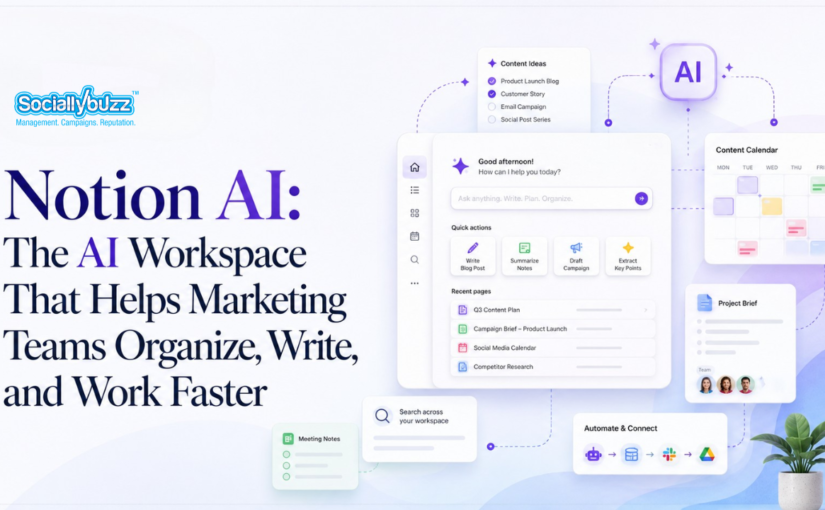
Notion AI was built to help teams reduce that kind of scattered, repetitive work. Notion now describes itself as an AI workspace where teams can use docs, projects, knowledge bases, AI Meeting Notes, Enterprise Search, AI tools, and agents in one place.
For someone who is new to Notion, think of it as a digital workspace where your team can write notes, manage projects, organize content calendars, store documents, create databases, and collaborate. Notion explains that it is a single space where people can think, write, plan, manage projects, and organize information.
Notion AI adds artificial intelligence inside that workspace. This means your team can use AI where the work is already happening. Instead of opening a separate AI tool every time you need help, you can ask Notion AI to summarize meeting notes, search for information, draft content, organize ideas, fill database fields, or help document processes.
For marketing teams, this is especially useful because marketing work depends on speed, clarity, and consistency. The more organized your information is, the easier it becomes to move from idea to execution.
LISTEN TO THE LIVE PODCAST HERE
Marketing tasks do not always start inside a project management tool.
Sometimes a task is mentioned in Slack. Sometimes it comes from a client meeting. Sometimes it is written inside a campaign note. Sometimes it is buried in a long conversation about a launch, newsletter, or social media post.
That is why teams often end up asking, “Where was that task assigned again?” or “Who was supposed to update this?” or “What exactly did the client ask us to change?”
This creates delays because the team has to search manually before they can even start working.
Notion AI can help through Enterprise Search.
Enterprise Search is designed to help teams search across Notion and connected tools. Notion highlights Enterprise Search as one way teams can find answers across their apps and workspace, including connected work tools.
For a marketing team, this means you can ask a question instead of digging through every conversation manually.
For example, your team could ask where the landing page revision was discussed, what tasks were mentioned for the product launch, or what feedback was given on the latest newsletter.
Instead of wasting time trying to remember where the task came from, Notion AI can help your team find the context faster.
This is valuable because marketing work moves quickly. Tasks can come from meetings, chats, briefs, and client feedback. When your team can find the original instruction faster, they can execute faster.
Marketing meetings are full of useful information.
A campaign meeting might include content ideas, deadlines, approvals, objections, audience insights, and next steps. A client call might include new requests, feedback, priorities, and changes in direction. A team check-in might include blockers, progress updates, and assignments.
The problem is that someone has to capture all of this manually.
When one person is typing notes, they are not fully present in the conversation. Even then, they might miss important details. After the meeting, the notes still need to be cleaned up, summarized, and turned into tasks.
Notion AI can help through AI Meeting Notes.
Notion describes AI Meeting Notes as a tool that captures meeting conversations, summarizes them, and identifies action items so teams can stay focused during the meeting.
For a marketing team, this can be used after campaign planning calls, content brainstorms, client meetings, podcast planning sessions, weekly check-ins, and launch reviews.
Instead of ending a meeting with messy notes, your team can have a clearer summary of what was discussed, what was decided, and what needs to happen next.
This matters because meetings should lead to movement. Notion AI helps turn conversations into usable next steps.
Marketing teams write every day.
They write social media captions, blog outlines, email newsletters, campaign briefs, ad angles, video scripts, landing page copy, client updates, and internal announcements.
The problem is that starting from a blank page takes time.
Your team may already know the topic, but turning that topic into a clear draft is a separate task. A content idea still needs a hook. A blog topic still needs an outline. A newsletter still needs a subject line. A campaign still needs messaging.
Notion AI can help with writing and drafting.
Inside the Notion workspace, teams can use AI to generate drafts, rewrite text, summarize long notes, improve clarity, and turn rough ideas into more polished content. Notion positions its AI tools as part of a workspace where teams can write, plan, organize, and work with AI in one place.
For example, a marketing team can write a rough idea like, “We need a LinkedIn post about why businesses should document their processes,” and ask Notion AI to turn it into a first draft.
They can also ask it to rewrite the post in a more professional tone, create a blog outline from the same idea, or summarize the main point into an email intro.
This does not mean AI replaces your team’s creativity or strategy. It simply helps remove the hardest part, which is often getting the first version on the page.
Your team still needs to review, edit, fact-check, and make sure the content sounds like your brand. But instead of spending too much time staring at a blank document, they can start with a draft and improve from there.
A marketing team can have a lot of ideas and still struggle to post consistently.
Ideas can come from sales calls, customer questions, team meetings, industry trends, blog articles, podcast episodes, competitor research, founder insights, and client feedback.
But if those ideas are not organized, they usually stay as random notes.
This is why content calendars matter. A good content calendar helps your team see what needs to be created, where it will be posted, who owns it, what stage it is in, and when it should go live.
The problem is that maintaining a content calendar can become another manual job.
Someone has to add the title, platform, caption, content pillar, status, publish date, owner, and call to action. If the team gets busy, the calendar becomes outdated.
Notion AI can help with databases and AI-supported organization.
Notion is built to support databases, projects, docs, and knowledge bases in one workspace. Its AI workspace positioning also includes tools for organizing work, searching across information, and automating repetitive tasks.
For marketing teams, this means you can create a content database inside Notion and use AI to help organize the information inside it.
For example, Notion AI can help turn a rough content idea into a caption draft, summarize the main message, suggest a content category, or help structure the idea into a campaign asset.
A content calendar becomes more useful when it is not just a list of ideas. It becomes a working system your team can use to plan, create, review, approve, and publish content.
Marketing has many repeatable processes.
Your team may have a process for writing blogs, preparing newsletters, creating social media captions, approving graphics, uploading podcast clips, launching campaigns, creating reports, or repurposing content.
The problem is that these processes often live in someone’s head.
When a new team member joins, someone has to explain the process again. When a person is busy, the work slows down. When a step is missed, the team has to fix mistakes later.
This is why SOPs are important.
An SOP, or Standard Operating Procedure, is a step-by-step document that explains how to complete a task properly. For a marketing team, SOPs make work more consistent and easier to delegate.
Notion AI can help turn rough process notes into clearer internal documentation.
For example, your team can quickly write down the process for publishing a blog. It may include proofreading the article, uploading it to WordPress, adding the SEO title, writing the meta description, inserting the blog cover, checking formatting, publishing the post, and repurposing it into social media captions and an email.
Instead of manually turning that into a perfect SOP, your team can ask Notion AI to organize the rough notes into a clearer step-by-step process.
This helps your marketing team build a system, not just complete tasks.
When your workflows are documented, your team can train faster, delegate better, avoid repeated mistakes, and keep work moving even when one person is unavailable.
Imagine your marketing team starts the day by opening one Notion workspace.
The content calendar shows what needs to be created this week. The campaign database shows which assets are in progress. The meeting notes show what was discussed during the last client call. The SOPs explain how to publish, review, and hand off the work.
Before starting on a campaign task, a team member uses Notion AI to search for the original instruction. Instead of asking, “Where was this assigned again?” they can look for the task, the context, and the related discussion.
During a campaign meeting, AI Meeting Notes helps capture the conversation. After the meeting, the team has a summary and action items.
When it is time to create content, the team uses Notion AI to turn rough ideas into drafts, outlines, captions, or briefs.
When the team adds new content ideas into the calendar, Notion AI helps organize them into clearer topics, summaries, or content categories.
When a process keeps repeating, the team documents it once and uses Notion AI to turn it into an SOP.
This is how Notion AI can support marketing work in a practical way. It helps reduce the admin work around marketing so the team has more time for strategy, creativity, and execution.
For your marketing team, Notion AI is not just another writing tool.
It can become part of the way your team organizes and runs marketing.
It can help your team find delegated tasks faster, capture meeting notes more clearly, start content drafts sooner, maintain a more organized content calendar, and document repeatable workflows.
This matters because marketing does not only depend on good ideas. It depends on how quickly and consistently your team can turn those ideas into published work.
A campaign idea needs to become a brief. A brief needs to become tasks. Tasks need to become content. Content needs to be reviewed, approved, published, and measured.
If that process is scattered across too many tools and conversations, marketing slows down.
Notion AI helps bring more of that process into one workspace.
For teams that are tired of asking, “Where is that file?” “Who owns this?” “What did we decide?” or “How do we do this again?” Notion AI gives you a more organized way to work.
It helps your marketing team move from scattered conversations to clearer execution.
And when your team spends less time searching, rewriting, summarizing, and repeating instructions, they can spend more time doing the work that actually grows the business.
Notion AI is the artificial intelligence tool built inside Notion. It helps users write, summarize, organize, search, and work with information inside their Notion workspace. For marketing teams, this means it can help with content drafts, meeting notes, campaign planning, task tracking, SOPs, and internal documentation.
No. Notion AI can help with writing, but it is not only a writing tool. It can also help summarize meeting notes, search for information across your workspace, organize ideas, support databases, create action items, and help document repeatable workflows.
Marketing teams can use Notion AI to draft social media captions, create blog outlines, summarize client meetings, organize campaign ideas, build content calendars, document SOPs, and search for past instructions or project details. It is especially useful for teams that handle a lot of content, meetings, feedback, and campaign planning.
Yes. Marketing teams can use Notion databases to create content calendars, then use Notion AI to help organize content ideas, generate summaries, draft captions, suggest categories, and structure campaign assets. This can make content planning easier and less manual.
Notion AI can support Enterprise Search and connected tools depending on your workspace setup and plan. This can help teams find information from Notion and connected apps, such as Slack or other work tools, instead of manually searching through multiple platforms.
Yes. Notion AI Meeting Notes can help capture meeting conversations, summarize discussions, and identify action items. This is useful for campaign meetings, client calls, brainstorms, weekly check-ins, and project updates.
Yes. Notion AI can help turn rough process notes into clearer SOPs or internal documentation. For example, a marketing team can write down the rough steps for publishing a blog or preparing a newsletter, then ask Notion AI to organize the steps into a more structured process.
No. Notion AI does not replace your marketing team. It helps reduce repetitive admin work such as summarizing notes, organizing ideas, drafting first versions, and finding information. Your team still needs strategy, creativity, editing, brand judgment, and final approval.
Yes. Notion AI can be especially useful for small businesses because it helps organize work without needing too many separate tools. A small team can use it for content planning, project tracking, meeting notes, SOPs, and internal knowledge management.
The biggest benefit is that it helps marketing teams move faster from idea to execution. Instead of wasting time searching for information, rewriting notes, starting from a blank page, or repeating the same instructions, teams can use Notion AI to organize their work and focus more on strategy, creativity, and growth.
Subscribe now to receive relevant social media information, tips, tricks and service updates.