

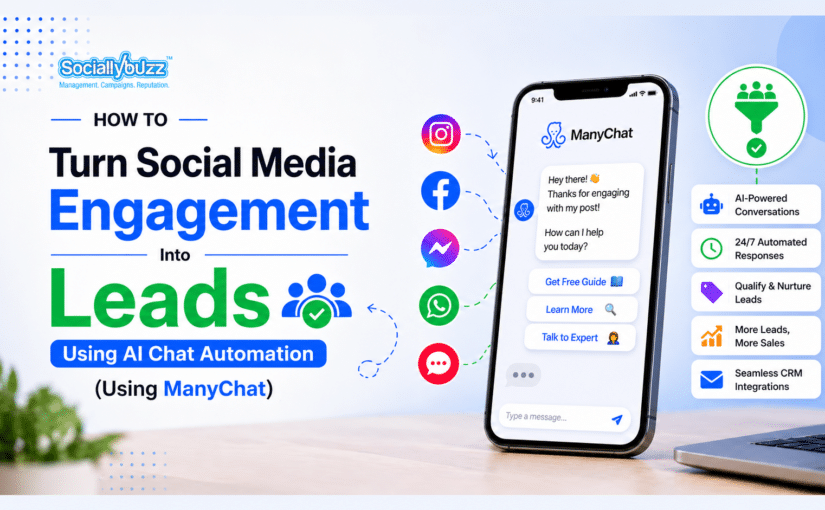
Every day, thousands of people comment on your posts, slide into your DMs, and click your links, and most businesses let those moments evaporate.
Here is the hard truth. Social media engagement without a follow up system is just vanity metrics. Likes do not pay bills. Leads do.
The good news is that with AI chat automation tools like ManyChat, every comment, DM, and click becomes a trackable entry point into your sales funnel.
In this guide, you will learn exactly how to turn passive social media engagement into qualified leads using ManyChat automation framework, broken down into three core triggers comments, DMs, and clicks.
Engagement without a system is just noise.
People are already raising their hands—commenting, messaging, clicking—but if no one captures that moment and guides them forward, it disappears.
This is where tools like ManyChat come in.
Instead of manually chasing every interaction, you build a system that responds instantly, qualifies leads, and moves them toward a decision.
LISTEN TO THE LIVE PODCAST HERE
ManyChat is a chat marketing automation platform that connects to Instagram, Facebook Messenger, WhatsApp, SMS, and email. It lets businesses build automated conversation flows that respond to user actions in real time.
Rather than waiting for a human to reply to every comment or DM, ManyChat triggers instant, personalized responses the moment someone engages with your content.
Trigger #1: Someone Comments — Automation Fires
How Comment Automation Works
When a user comments on a specific post (or uses a keyword), ManyChat can send an automatic DM within seconds once the correct comment trigger and DM reply settings are enabled.
Step-by-Step Setup in ManyChat
Step 1: Create a new flow in ManyChat and label it (e.g., “Comment Lead Magnet — Free Guide”).
Step 2: Set up the automation under Instagram Comment triggers inside ManyChat Automation section
Step 3: You can choose to trigger automation using specific keywords or apply it to all comments
Step 4: Build the DM message — keep it conversational and reference the post they commented on.
Step 5: Include a CTA — a question, a link, or a qualification step.
Example Flow
User comments “FREE” on your post about a free checklist. ManyChat instantly DMs them: “Hey [Name]! You asked about the free checklist — I’ve got you. Just tell me: are you currently running paid ads or still growing organically?” Based on their reply, you can route them into different paths if you set up conditions inside your flow.
Why This Works
It rewards engagement — people get something for commenting. It moves the conversation off the feed and into a private, high-intent channel. The keyword qualifier also acts as a self-selection filter, meaning only truly interested users bother to comment in the first place.
Pro Tip: Post Design Matters
Write your caption to invite the keyword comment. For example: “Drop ‘GUIDE’ in the comments and I’ll DM you the free strategy PDF.” This frames the CTA naturally and primes high-intent engagement.
Trigger #2: Someone DMs You — Instant Response + Qualification
The Problem With Manual DM Replies
Most business owners treat their DM inbox like email — they check it once a day and reply when they remember. By then, the lead has moved on.
ManyChat helps address this with keyword-triggered DM automation that can respond quickly once properly configured and within platform messaging rules.
Building a DM Qualification Flow
A strong DM automation sequence has three parts.
Part 1 — The Welcome Message: Acknowledge they reached out and set expectations. Keep it human-sounding. Example: “Hey! Thanks for reaching out. I’m going to ask you a couple of quick questions so I can point you in the right direction. Sound good?”
Part 2 — The Qualification Questions: Use ManyChat’s quick reply buttons to collect structured answers. Ask things like: What’s your biggest challenge right now? What’s your monthly budget range? Are you looking for done-for-you or DIY? Each answer tags the contact in ManyChat’s CRM and can sync to your external tools like HubSpot, ActiveCampaign, or GoHighLevel.
Part 3 — The Routing Decision: Based on their answers, route them accordingly. High-intent leads go to a booking link (Calendly or ManyChat’s native booking). Warm leads receive a lead magnet or case study to nurture. Those who aren’t a fit get politely redirected with a free resource.
Keyword Triggers for Incoming DMs
Set up auto-responses for common DM keywords your audience actually sends. “Pricing” or “How much” can trigger a price overview and CTA to book. “Help” can kick off a diagnostic question sequence. “I saw your post about [X]” can trigger a relevant flow for that specific topic.
Trigger #3: Someone Clicks — Pushed Into Your Funnel
Turning Clicks Into Conversations
Every link you share on social media is a lead funnel entry point — but only if you’ve set up the right automation on the other side of the click.
With ManyChat, you can connect Click-to-Messenger ads, link-in-bio tools, and website widgets to fire automation the moment someone clicks.
Strategy 1: Click-to-Messenger Ads
Run Facebook or Instagram ads with a “Send Message” CTA. When properly set up using Click-to-Messenger ads or chat links, users can be directed into a ManyChat conversation.
Strategy 2: Link-in-Bio Flows
Connect your link-in-bio tool (Linktree, Stan Store, or a custom page) to ManyChat flows. When someone taps a specific option, they’re routed into the corresponding automation sequence. A “Free Guide” option delivers the PDF and enters them into an email nurture sequence. A “Work With Me” option kicks off a qualification flow and ends at a booking link. A “Testimonials” option shares social proof and ends with a soft CTA.
Strategy 3: Website Chat Widget
Install ManyChat’s chat widget on your website or landing pages. Visitors who click the chat button can be directed into a pre-built qualification flow once it is properly connected.
Connecting Clicks to Your CRM
Every click-triggered conversation should sync to your broader marketing stack. ManyChat integrates with email platforms like Mailchimp, ActiveCampaign, and Klaviyo, and can connect to CRMs like HubSpot, GoHighLevel, and Salesforce, often through tools like Zapier or API connections
Set up tags and custom fields in ManyChat so that by the time a lead lands in your CRM, you already know their pain points, budget range, and where they came from.
Building the Full Funnel: Connecting All Three Triggers
The real power of ManyChat comes when you connect all three triggers into a cohesive lead generation system.
Here’s what an integrated flow looks like from start to finish: A post goes live. A user comments “YES.” ManyChat fires a DM and runs through qualification questions. The user clicks a booking link inside the DM. They get tagged as a “Hot Lead” in your CRM. Your sales team receives a Slack notification with a pre-filled lead card.
Common Mistakes to Avoid
Comment Automation lets you trigger DMs directly from post comments. Keyword Triggers respond to specific words people send in DMs. Quick Replies allow you to collect structured answers through tappable buttons. AI Intent Detection handles freeform messages intelligently without needing an exact keyword. The Flow Builder gives you a visual drag-and-drop editor to build your entire funnel. CRM Integrations sync your leads to tools like HubSpot and ActiveCampaign. Broadcast Messages let you re-engage existing subscribers with new offers. A/B Testing helps you optimize message copy and overall flow performance.Common Mistakes to Avoid
Mistake 1 — Sounding like a robot: Your automation should read like a real person wrote it. Use first names, casual language, and emojis where appropriate. Avoid corporate-speak.
Mistake 2 — Skipping the qualification step: If you push everyone straight to a booking link, you’ll spend time on calls with people who were never going to buy. Build in at least one or two qualifying questions.
Mistake 3 — Not following up on stalled conversations: Set up a re-engagement sequence for contacts who start a flow but don’t finish.
Mistake 4 — Ignoring your analytics: ManyChat tracks open rates, click rates, and flow completion rates. Review these weekly and iterate on underperforming steps.
Mistake 5 — Over-automating too soon: Start with one core flow (usually the comment-to-DM) and get it converting before you build out complex multi-branch sequences.
Quick-Start Checklist: Your First ManyChat Lead Gen System
Step 1: Connect ManyChat to your Instagram or Facebook account.
Step 2: Identify your highest-engagement post type to run comment automation on.
Step 3: Write a keyword-triggered comment flow with a compelling DM opener.
Step 4: Build a 3-question DM qualification sequence with quick reply buttons.
Step 5: Set up tagging based on answers (e.g., “High Budget,” “DIY,” “Hot Lead”).
Step 6: Connect your email platform or CRM to ManyChat.
Step 7: Create a re-engagement follow-up for stalled conversations.
Step 8: Run a Click-to-Messenger ad to test the paid traffic flow.
Every comment, DM, and click is a signal — someone is paying attention and they want something from you. The question is whether you have a system in place to capture that intent and convert it.
ManyChat gives you the infrastructure to do exactly that: automatic, personalized, qualifying conversations that run 24/7 and feed a steady stream of leads into your funnel without burning out your team.
Start with one trigger. Get it working. Then layer in the rest.
Your audience is already engaging. It’s time your automation started converting.
What is ManyChat and how does it help generate leads
ManyChat is a chat automation platform that allows businesses to respond instantly to comments and direct messages on platforms like Instagram and Facebook. It helps generate leads by turning conversations into structured flows that capture information, qualify prospects, and guide them toward a specific action such as booking a call or requesting more details.
How does comment to DM automation work
Comment to DM automation works by detecting when a user comments a specific keyword on your post. Once triggered, ManyChat automatically sends that user a direct message. This message can deliver a resource, ask a question, or guide the user to the next step in your funnel.
Do I need technical skills to use ManyChat
No. ManyChat is designed to be beginner friendly. Most features such as creating flows, setting keyword triggers, and building automated responses can be done using a visual interface without coding. The key is understanding the strategy behind the flow rather than the technical setup.
Can small businesses benefit from chat automation
Yes. In fact, small businesses benefit the most because automation allows them to respond instantly without hiring additional staff. It helps capture leads consistently even with limited time and resources.
What kind of keywords should I use for automation
You should use keywords that match your audience intent. Common examples include guide, price, details, start, or help. The best keywords are simple, easy to remember, and clearly connected to the content or offer you are promoting.
What happens if someone does not reply to the automated message
If a user does not respond, the conversation will not move forward. This is why it is important to include a simple question or button in your first message to encourage interaction. Some businesses also set up follow up messages to re engage users who did not reply.
Can ManyChat replace human interaction
No. ManyChat is designed to support human interaction, not replace it. It handles the initial response and qualification so that you can focus on high quality conversations with people who are more likely to convert.
How do I connect ManyChat to my CRM or email platform
ManyChat can integrate with tools like Mailchimp, ActiveCampaign, and HubSpot. You can connect these platforms directly or through tools like Zapier. This allows you to automatically send lead data, tags, and responses into your existing system.
What is the biggest mistake businesses make with ManyChat
The biggest mistake is overcomplicating the system too early. Many businesses try to build complex flows instead of starting simple. A basic setup with one keyword, one message, and one clear next step is often enough to start generating leads.
Subscribe now to receive relevant social media information, tips, tricks and service updates.